
AI keeps moving, and so does what Konect does with it. We’ll keep adding to this series as the capability grows to keep you up to date.
Most GIS work still runs through a chain of specialist tools. You need someone who knows ArcGIS Pro, someone who can write the right CLI command, someone who remembers which layer index maps to which dataset. That knowledge tends to be held by a small number of people, and every request that needs it ends up in a queue.
One request does the work of multiple tools
We’ve been testing a different way in. Over the past few months, our team has built an integration that lets Konect users work with spatial data through plain conversation, using Claude as the interface. Instead of opening a separate tool for every task, you describe what you need, and Konect handles it.
In practice, this looks like:
- Asking for a list of your Konect environments and datasets without logging in and clicking through menus.
- Asking what fields and schema a dataset holds, instead of opening it to check.
- Exporting a dataset to Shapefile, GeoJSON, CSV, or KML with a sentence.
- Pulling in open spatial data from an external ESRI source and having Konect confirm it landed correctly.
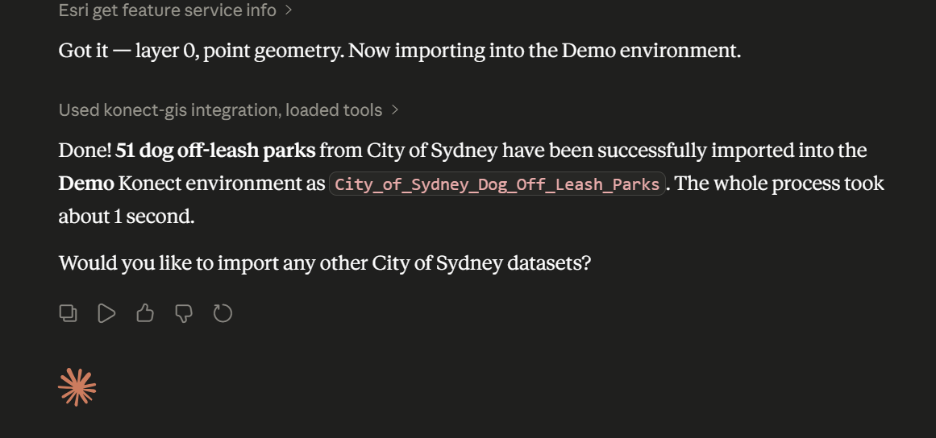
In a recent test, we asked Claude to bring open dog off-leash park data in Sydney into a Konect environment.
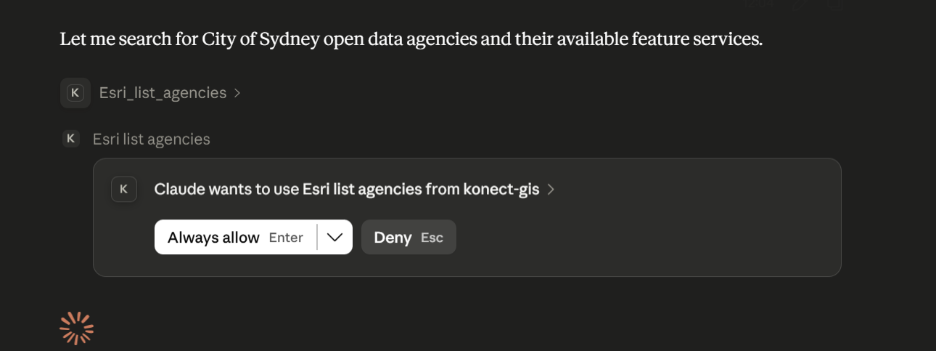
It found the right ESRI data source, checked which layer held the records we wanted, downloaded them, and imported fifty-one records into Konect in about a second.
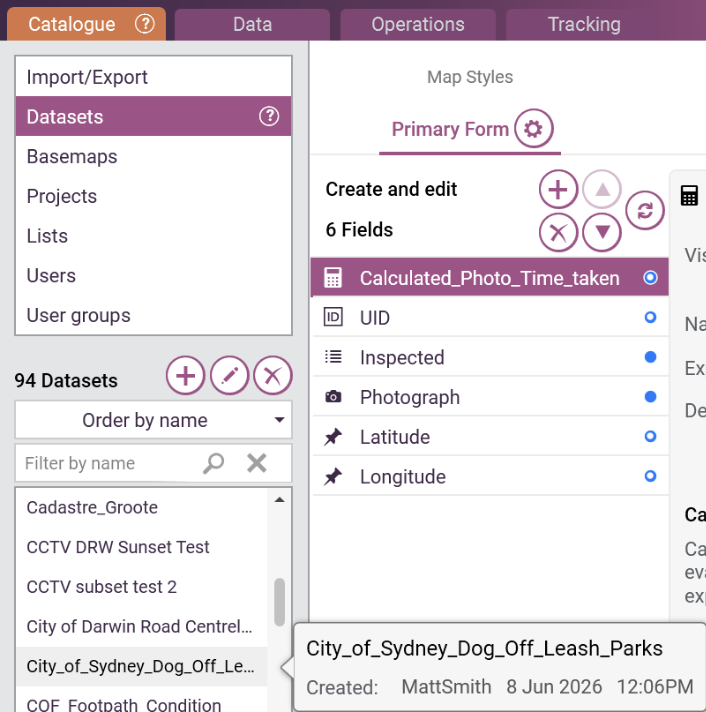
The dataset showed up in the Konect catalogue moments later, fully georeferenced and ready to use.
That single request would normally involve finding the source, understanding its structure, and routing it through a GIS specialist. With the AI integration, it’s one conversation.
Real capacity back without new headcount
Who gets to do this work is changing on both sides. For the people who already own GIS work day to day, checking a dataset’s schema, cleaning up a messy field import, validating that an export landed correctly, those become one-sentence requests to Claude, freeing up time for the analysis and judgement calls a specialist is actually there for.
For everyone else on the team, basic requests, such as listing what’s in an environment, running a quick export, and checking whether an import landed cleanly, no longer need to sit in a specialist’s queue, or wait on a spare ArcGIS Pro licence to get done.
More to come
This integration is the first visible step in a larger investment to make Konect an AI-enabled platform. Over the next few product cycles, more of Konect’s everyday work, including exporting, importing, checking, and summarising, will likely run through the same conversational layer. The goal is a platform where the value sits in what you can accomplish through it, not in how many screens you have to click through to get there.
This is early work. We’re still refining how results are shown back to you, particularly in-chat map previews for larger datasets, and we’re extending the toolset to cover more open data sources and repeatable import workflows.
We’ll keep sharing what we learn as this moves from testing toward something teams can rely on day-to-day.