
A field services platform built for how your team works now
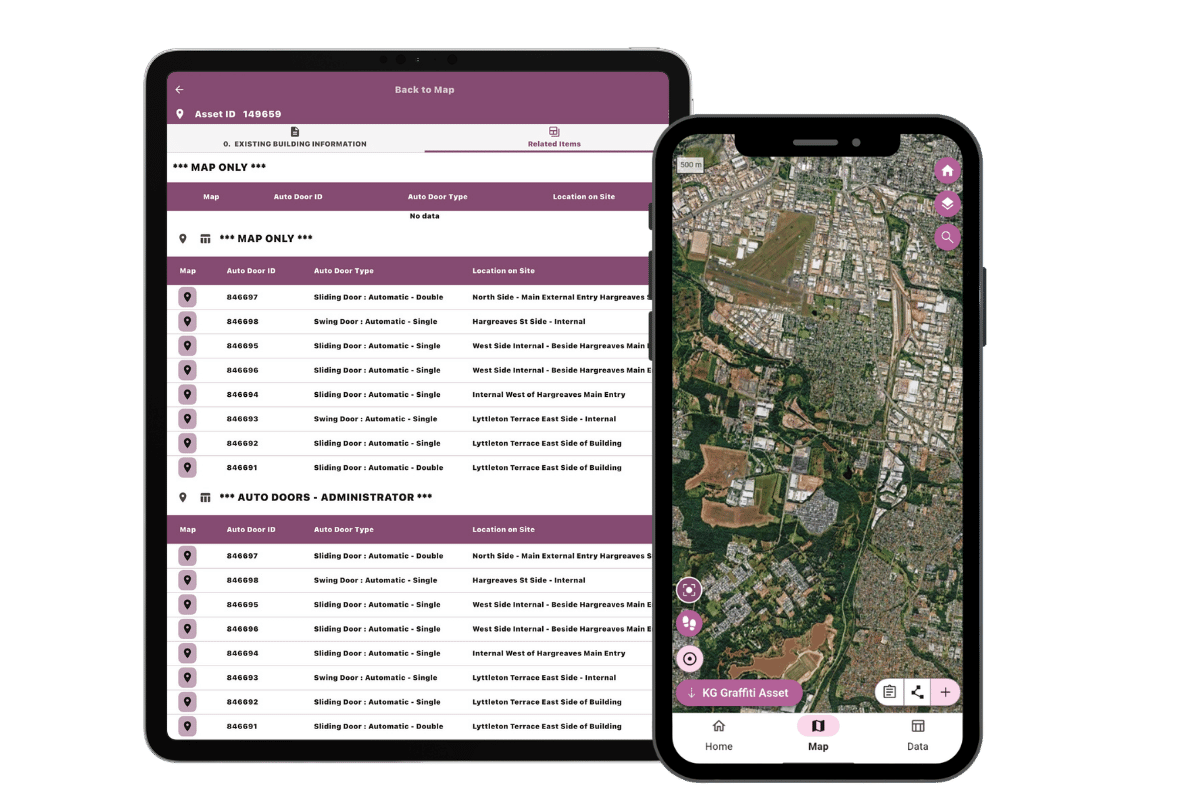
A new foundation. A better platform.
Konect has been supporting field teams since 1992. Konect 2 is the latest (and biggest) chapter in the platform’s history. A full rebuild with new architecture and features has evolved Konect’s capabilities into a stronger platform built to keep pace with where the industry’s going next.
“We’ve been testing Konect 2 as an early beta partner for the past month, and the Data Tab has been the standout for our team. Being able to filter and allocate work from a list, instead of always going through the map first, results in efficiency gains of approximately 100 hours per day across the business.”
Chris Sheehan, Automation Team Manager, Service Stream (Early Beta Partner)
Always on and ready
No more thinking about signal. No more manual sync.
Everything your team needs is on the device before they leave.
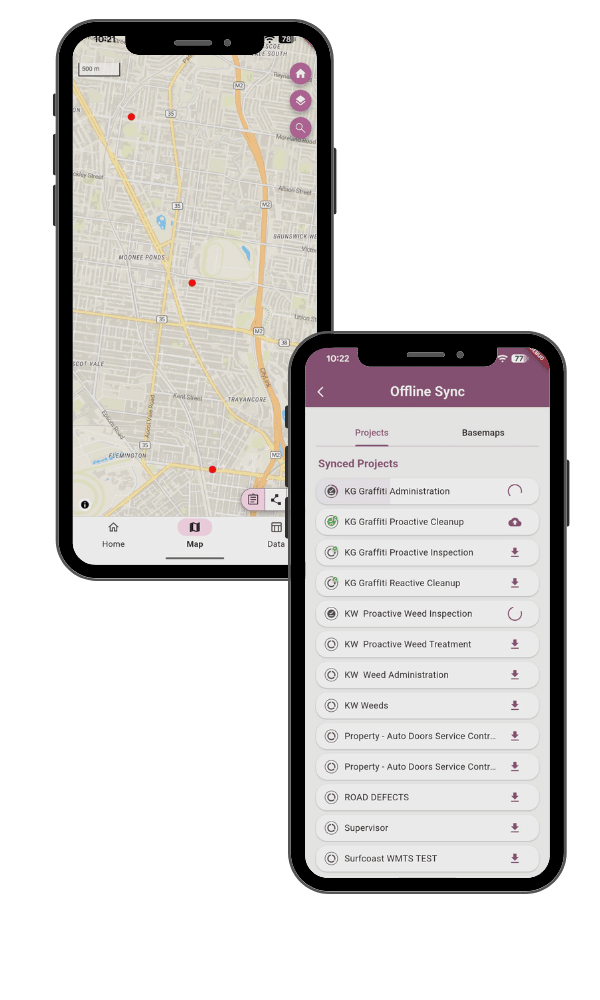
Every capture, edit, or photo is written to the device the moment it’s made. Projects, forms, and base maps are ready on the device before your team heads out, so there’s nothing to configure and nothing to remember once they’re in the field.
When coverage returns, everything syncs back automatically. No manual steps, no lost records, no repeat site visits.
A visual indicator on every project shows its sync state at a glance (cached, syncing, or up to date). Your team always knows what version of data capture they’re looking at.
Admins set sync behaviour organisation-wide from Konect Manager, so the right projects are on the right devices without your field team having to configure anything themselves.
If two people edit the same record while offline, the latest change wins, and earlier edits are recoverable via the export tools if needed.
New data tab
More work done. Fewer clicks to get there.
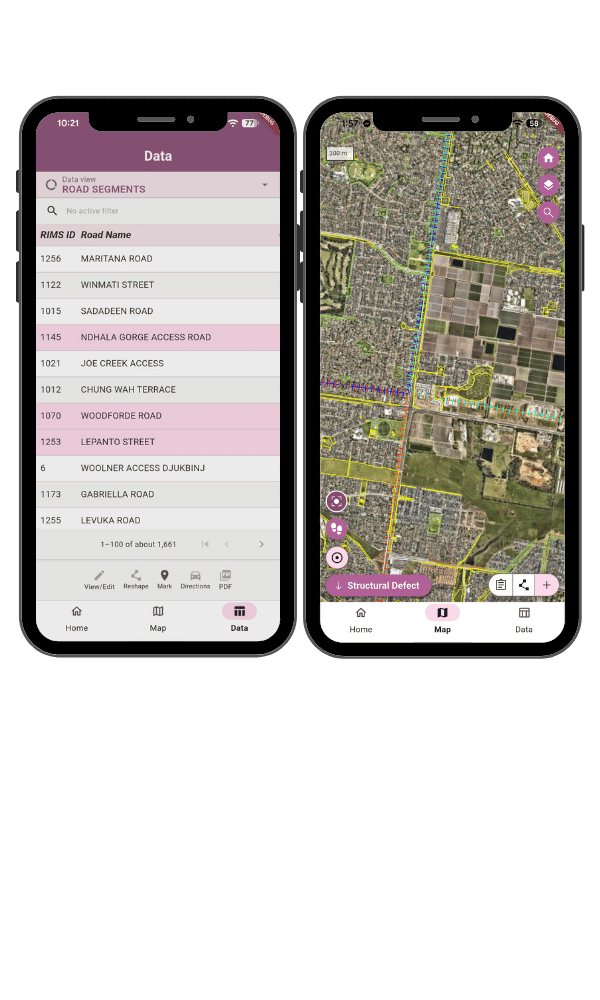
A list-first view of your project data, built for teams who manage volume, not just maps.
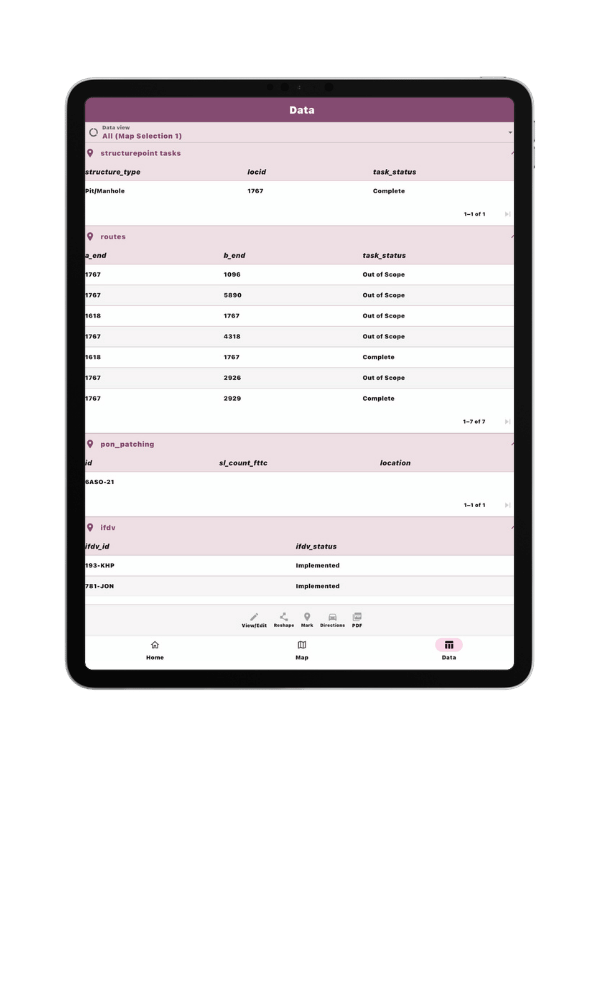
The Data Tab gives field users a list-first view of their project data. Each record is organised into focused sections relevant to the asset they’re working on, so your team sees only the fields that matter at the step.
Filter, sort, and action tasks directly from the list. Switch to the map when you need it and open a form from either view without losing your place.
On tablets and large screens in landscape, Split Map Select takes this further, putting the Data Tab and the map on screen together. Select a record in the list and it highlights on the map. Adjust your filters and the map updates with it. Adding or drawing a new feature stays right where you are too, no more bouncing to the Map tab to finish what you started in the Data Tab.
For teams running high-volume capture, that means fewer mistaps, shorter training cycles, and data that arrives at your systems already structured and ready to use.
Future releases will expand the Data Tab with dashboards, calendar views, and summary reporting to provide richer operational visibility.
Under the hood
A platform built to keep up
Faster releases, tighter security, and consistent performance across every device your teams use.
Konect was first built on Cordova in 2014, an industry-standard mobile framework at the time. In the years since, support for Cordova has waned, and the path forward called for a platform with a longer runway.
That platform is Flutter, a single codebase that compiles natively for iOS, Android, and Windows tablets, so performance stays consistent across every device your teams use.
For field users, it’s a cleaner, more responsive app. Smoother map interactions, faster form loading, and a UI that works the same way regardless of what’s in your team’s hands.
The mapping engine has also been upgraded to Mapbox vector tiles, for faster rendering, smoother pan and zoom, and a foundation for large offline vector basemaps in future releases.
Already on Konect?
Switching shouldn’t disrupt work
Run both versions
Both apps run side by side, with no forced cutover.
Keep existing projects
No rebuild of existing projects, forms, or data is required.
Move across when you’re ready
Move across at your own pace, without disrupting active fieldwork.
Device approval
One-time device re-approval if your organisation manages device access individually (details in the FAQ).
Common Questions
Konect 2 is the name we’ve used through development and launch to signal that this is a significant step forward; a full re-platform, not an incremental update. Once it’s live, it’s just Konect. The version name will drop away as the new platform becomes the platform.
Yes. Konect 2 runs on the same backend infrastructure. Your projects, forms, data, and user accounts are all intact. There’s nothing to rebuild or re-upload.
Yes. Konect 2 and the original Konect run in parallel during the transition period. Teams can move across project by project at a pace that works for your operations. There’s no forced cutover.
In Konect 2, everything your team needs is on the device before they leave. Sync runs automatically in the background when coverage returns. Administrators control offline configurations centrally, so the right data is on the right devices without relying on field users to set it up.
Yes. Konect 2 requires iOS 15 or later. If a device is running iOS 14 or earlier, it can’t install or update to Konect 2, so that device stays on Konect until it’s updated. Worth checking your fleet against this before planning a team-wide move.
Possibly, once. On first launch, each existing install picks up a new device identity, so if your organisation approves devices indivdually, you may need to re-approve them the first time your team opens Konect 2.
After that, identity is stable. On iOS, MacOS, Windows, and Linux, it persists across reinstalls. On Android and the web app reinstalling Koenct 2 or clearing browser data will issue a new identity again, so devices managed that way may need re-approval more than once.
The Data Tab is a list-first view of your project data, an alternative to starting from the map. It’s particularly useful for high-volume task management, work allocation, and datasets that aren’t primarily spatial. It’s there when it’s useful; it doesn’t replace the map view.
Konect uses a latest change model for conflict resolution. If two users edit the same record while offline, the version with the most recent timestamp is used when both sync back. If your change occurred before a change already committed, Konect still writes your record to the database; it can be retrieved using the export transaction tools if needed.
You can download the app, but you’ll need an existing Konect account to login. If you’re new to Konect, the best next step is a live demo or a walkthrough with our team, they’ll get an account set up for you as part of that conversation.
See a live demo of Konect Explorer for a self-serve look at real Konect data in a map environment. When you’re ready for a walkthrough of your own workflows, book a demo and we’ll take you through it directly.
What our customers say
“Konect’s capture of real time data across the 1200km of road networks provides interactive reports to assist with grant funding opportunities. The patterns it discovered really helped us improve productivity.”
Natasha Jackson
East Arnhem Regional Council
Shane Tepper
Northern Territory Government
Paul Nicholson
City of Greater Bendigo